Download Infographics | Premiere Pro

Download Infographics | Premiere Pro

Download Infographics | Premiere Pro

LIVE PREVIEWDownload Now

Download Infographics | Premiere Pro

Infographics | Premiere Pro - 1
Infographics | Premiere Pro - 2
Infographics | Premiere Pro - 3
Infographics | Premiere Pro - 4
Infographics | Premiere Pro - 5
Infographics | Premiere Pro - 6
Infographics | Premiere Pro - 7
Infographics | Premiere Pro - 8
Infographics | Premiere Pro - 9
Infographics | Premiere Pro - 10
Infographics | Premiere Pro - 11
Infographics | Premiere Pro - 12
Infographics | Premiere Pro - 13
Infographics | Premiere Pro - 14
Infographics | Premiere Pro - 15
Infographics | Premiere Pro - 16
Infographics | Premiere Pro - 17
Infographics | Premiere Pro - 18
Infographics | Premiere Pro - 19
Infographics | Premiere Pro - 20
Infographics | Premiere Pro - 21
Infographics | Premiere Pro - 22
Infographics | Premiere Pro - 23
Infographics | Premiere Pro - 24
Infographics | Premiere Pro - 25
Infographics | Premiere Pro - 26
Infographics | Premiere Pro - 27
Infographics | Premiere Pro - 28
Infographics | Premiere Pro - 29
Infographics | Premiere Pro - 30
Infographics | Premiere Pro - 31
Infographics | Premiere Pro - 32
Infographics | Premiere Pro - 33
Infographics | Premiere Pro - 34
Infographics | Premiere Pro - 35
Infographics | Premiere Pro - 36
Infographics | Premiere Pro - 37
Infographics | Premiere Pro - 38
Infographics | Premiere Pro - 39
Infographics | Premiere Pro - 40
Infographics | Premiere Pro - 41
Infographics | Premiere Pro - 42
Infographics | Premiere Pro - 43
Infographics | Premiere Pro - 44
Infographics | Premiere Pro - 45
Infographics | Premiere Pro - 46
Infographics | Premiere Pro - 47
Infographics | Premiere Pro - 48
Infographics | Premiere Pro - 49
Infographics | Premiere Pro - 50
Infographics | Premiere Pro - 51
Infographics | Premiere Pro - 52
Infographics | Premiere Pro - 53
Infographics | Premiere Pro - 54
Infographics | Premiere Pro - 55
Infographics | Premiere Pro - 56
Infographics | Premiere Pro - 57

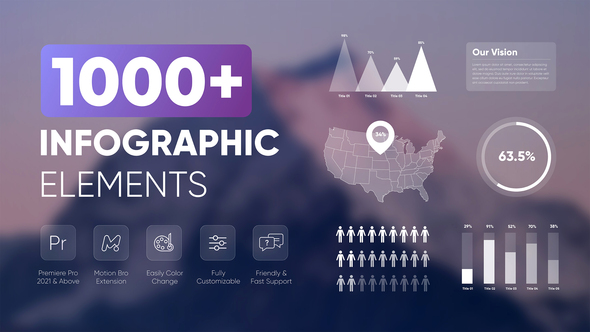
Simple Infographics contains more than 1000 charts & elements for Premiere Pro. This is the best way to create your video infographic. It works with the time-saving Motion Bro, and includes user-friendly features which help you to get eye-catching video. Take your data to the next level!

20+ categories

  • Area Charts
  • Bar Charts
  • Column Charts
  • Triangle Charts
  • Line Charts
  • Circle Diagrams
  • Timelines
  • Process
  • People
  • Devices
  • Titles
  • Text Blocks
  • Lower Thirds
  • Medical
  • Call-Outs
  • Icon Graphs
  • Maps
  • Flags
  • Icons
  • Marks & Pins
  • Sound Fx
  • Backgrounds
  • Transitions
  • Music used in preview 01,02

    Customization

    Don’t have After Effects? Or need me to do a customization for you? Please contact me through my profile page.

    Download Now
    LIVE PREVIEWDownload Now


    Full Width Download Button


    Download Now